
Case study · iOS + macOS · Hackathon · 2023
DIAS
Help at the station, one tap away.
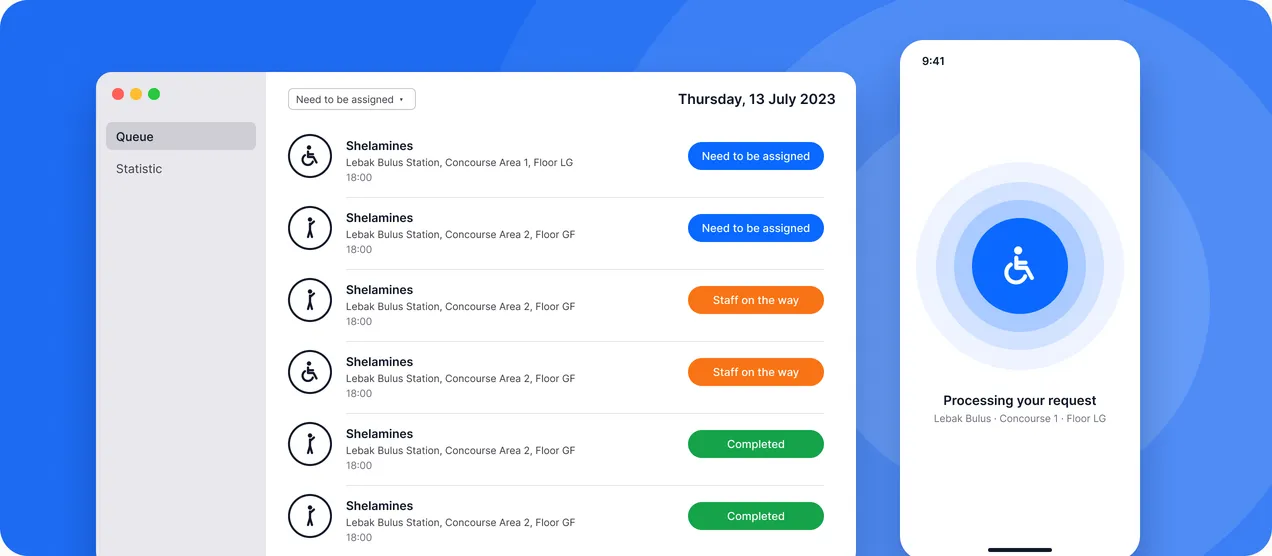
An assistance-call app for MRT Jakarta passengers with disabilities and older passengers. One tap sends a request to station staff, with the passenger’s exact area and floor attached, and a macOS dashboard lets staff pick it up.
- Role
- UI Designer
- When
- Jul – Aug 2023
- Platform
- iOS (passenger) · macOS (staff)
- Team
- MassAble · 6 members
How it started
“Transport that works for everyone.”
The PT MRT Jakarta “Enhancing User Experience” hackathon asked teams to improve life for passengers. Our team, MassAble, designed against UN Sustainable Development Goal 11.2: safe, accessible transport for all, with special attention to persons with disabilities and older persons. That left one question: when someone at a station needs help, how do they actually get it?
Research
Going to the stations.
5
users interviewed
Talked to passengers who rely on help to get through an MRT station.
1
field study at MRT stations
Watched how passengers move between concourse, platform and floors.
3
recurring pain points
The same three problems came up again and again across interviews.
What we found
Help exists. Reaching it is the hard part.
Key insight
Station staff are ready to help, but a passenger has no reliable way to call them, or to explain exactly where they are standing.
5
users interviewed, same 3 problems
-
01
Lack of assistance
Help exists, but passengers can’t easily reach a staff member when they need one.
-
02
Communication barriers
Explaining where you are and what you need is hard, especially with speech or hearing difficulties.
-
03
Safety concerns
Moving between concourse, platform and floors without support feels unsafe.
The solution
One tap on the phone, one queue at the station.
01
Ask with a single tap
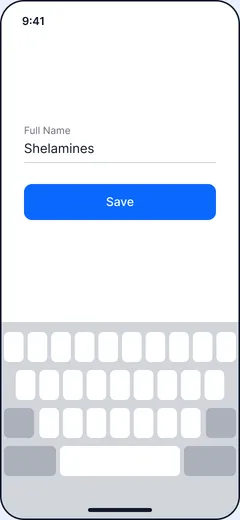
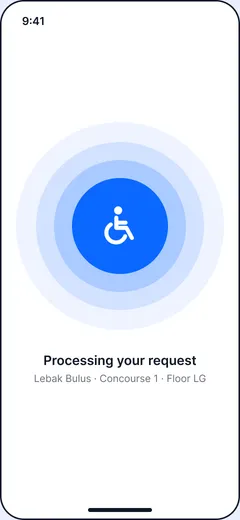
A passenger saves their name once. After that, a single tap sends a request to station staff, with their location attached automatically.
-
One single tap
No forms and no explaining where you are. One tap starts the request.
-
Request tracking
The request is monitored until a staff member arrives and the help is completed.
-
Precise location
Every request carries the station area and floor, so staff know exactly where to go.
02
Pick it up from one queue
Station staff see every request on a macOS dashboard: who needs help, the type of assistance, and the exact spot.
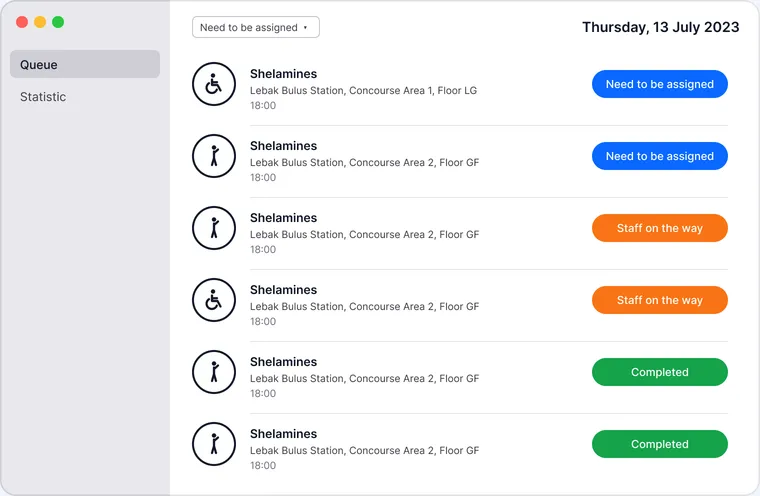
Each row shows the passenger and where they are, for example Lebak Bulus Station, Concourse Area 1, Floor LG.
Request status
- Need to be assigned
- Staff on the way
- Completed
A statistics view summarises requests over time, built with Apple’s Swift Charts.
03
Know where they are
Locating a passenger inside a station, without asking them to type anything.
Area
BLE beacons
Bluetooth Low Energy beacons placed around the station tell the app which area the passenger is in.
Floor
Altitude tracking
The phone’s altitude reading separates floors like LG and GF, which beacons alone can’t tell apart.
Sync
Firebase
Requests and status changes sync in real time between the passenger app and the staff dashboard.
UI
SwiftUI + Swift Charts
Both apps are built in SwiftUI; the dashboard’s statistics view uses Swift Charts.
What I learned
Accessibility starts by removing steps.
The biggest win came from making location automatic, not from adding features. Every field we removed was one less barrier.
We delivered a clickable prototype of both apps, the passenger side and the staff side, and pitched it to PT MRT Jakarta at the hackathon.