
Case study · iOS app + IoT · 2023
AquaCare
Keeping beginner aquascapes alive.
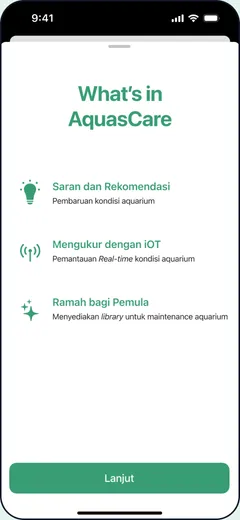
An app that guides beginner aquascapers through caring for their tank, from setup until the ecosystem matures. It reads the water, explains what’s wrong and suggests what to do, by manual test strips or a connected IoT sensor.
- Role
- UI/UX Designer
- Year
- 2023
- Platform
- iOS · IoT water sensor
- Team
- Team project
How it started
“Fish and plants are friends.”
Aquascaping is the art of arranging aquatic plants, stones and wood in an aquarium. Around us, we kept seeing beginners give up because caring for a tank felt too complicated. We wanted to make that care feel enjoyable, so the excitement of building a living ecosystem doesn’t stop at week one.
Research
Going where aquascapers are.
1
community visit
Interviewed Aquair, one of the largest aquascape communities in Indonesia.
1
expert consultant
Interviewed an aquascape consultant at Nicks Aquascape.
8
beginners interviewed
Talked to 8 beginner aquascapers across Indonesia.
2
modes of observation
Observed beginners online and offline to learn their habits and problems.
What we found
The damage you can’t see is the one that kills the tank.
Key insight
Water is the key to the whole ecosystem. Any change in it affects everything living inside, and the damage can’t be seen with the naked eye.
3
months: the critical maturing phase
-
01
Limited learning resources
Beginners don’t understand how to keep the water balanced, so many fail in the first three months of maturing.
-
02
No one to ask
They need help from experts or experienced aquascapers, but don’t have anyone to contact.
-
03
Forums go quiet
They post in community forums, but don’t always get an answer.
-
04
Too complicated, so they quit
Care feels so complicated that they eventually stop aquascaping.
The solution
A care companion until the tank matures.
01
Identify your aquascape
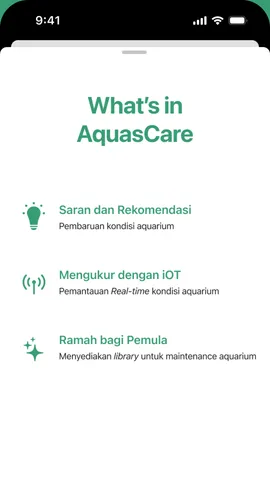
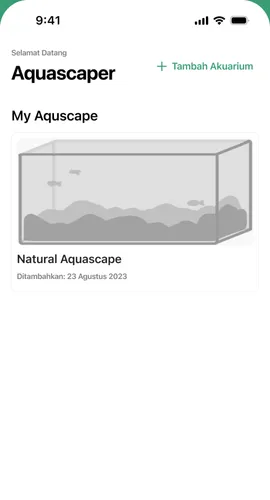
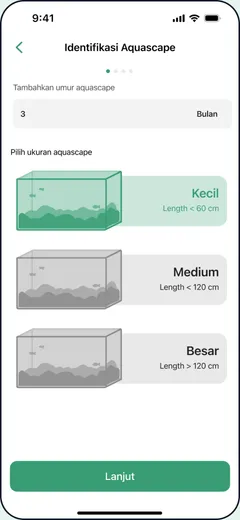
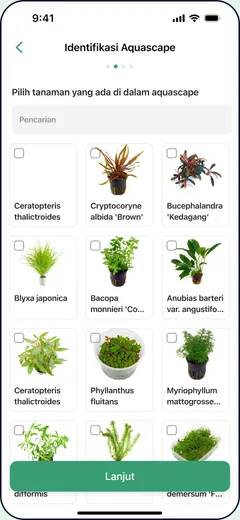
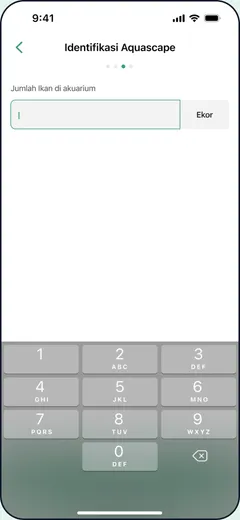
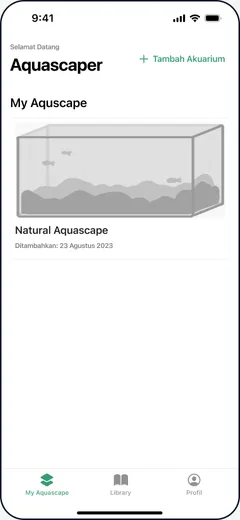
Enter the tank’s size and age, the plants you chose and the fauna living in it, so every recommendation fits that tank.
02
Measure the water
Two ways in, so beginners can start with what they have and upgrade later.
Test strips
Manual
Pick a method, follow the litmus-paper guide, then enter the readings.
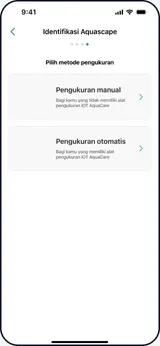
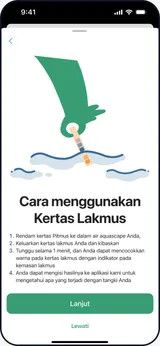
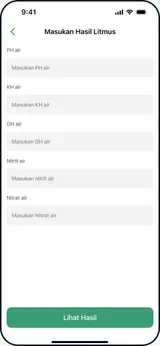
AquaCare IoT
Automatic
Pair the sensor once and the water readings update on their own.
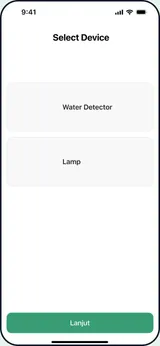
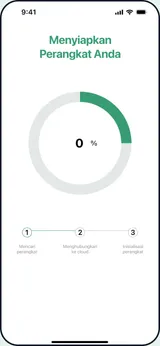
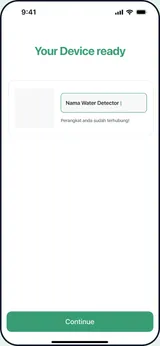
03
Monitor & act
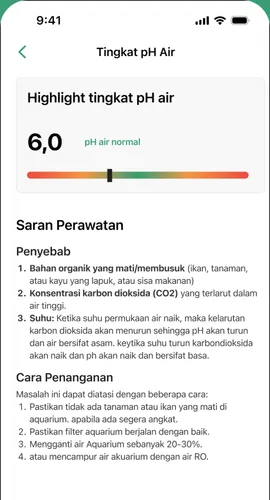
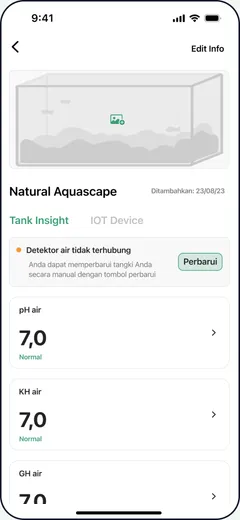
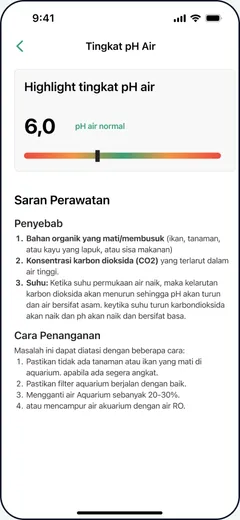
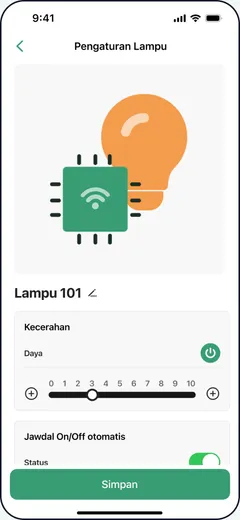
Each tank shows its pH, KH and GH with a plain status. Tap one to see the likely cause and what to do. Connected lamps can be scheduled too.
04
Learn as you go
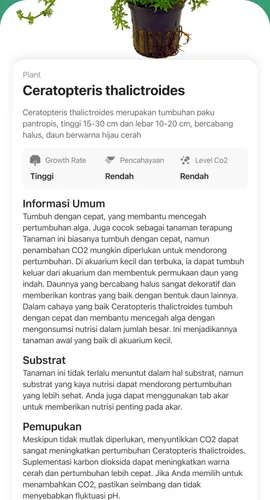
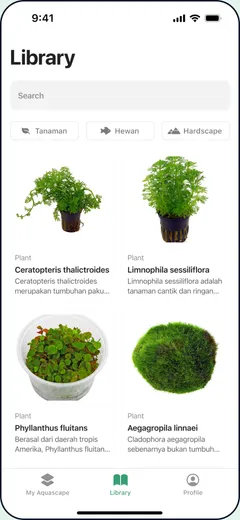
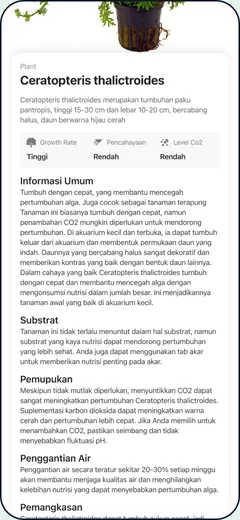
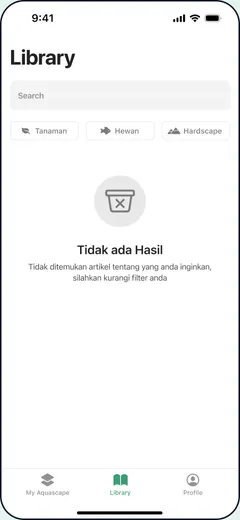
A library of plants, fauna and hardscape, each with care notes on light, CO₂, trimming and water changes.
Design process
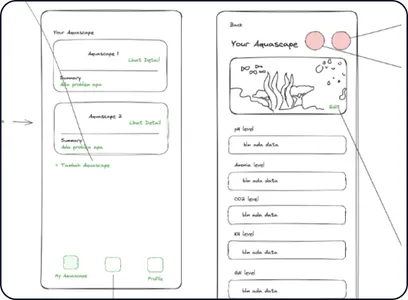
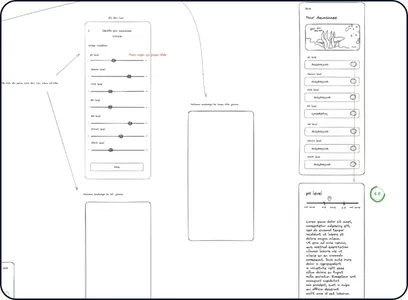
From paper sketches to a calm, natural UI.
Design language
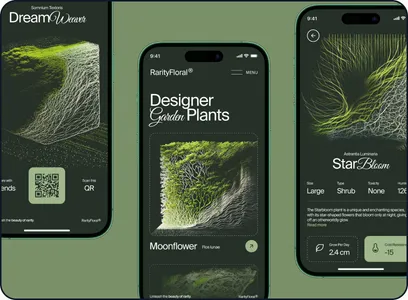
One calm green from a planted tank, on clean white and soft greys, so checking water feels like tending a garden rather than reading a lab report.
- #389D74
- #E6F4EE
- #222222
- #919191
- #F3F3F3
What I learned
Design for the problem people can’t see.
Visiting a community and an expert gave us the “why” behind beginner failure: invisible water changes, not lack of effort.
Offering both a manual and an IoT path meant beginners could start for free and upgrade later, instead of hitting a hardware wall.
Plain-language statuses (“Normal”, “KH high”) mattered more than precise numbers for people still learning.